
Which model should you consider first?
Start with the A-423 when one workstation needs up to 10 USB-A device connections. Compare the FD-603 when you need 11–16 connections on one hub. Both list USB 3.0 data rates up to 5 Gbps; more ports alone do not establish faster processing or compatibility with your devices.
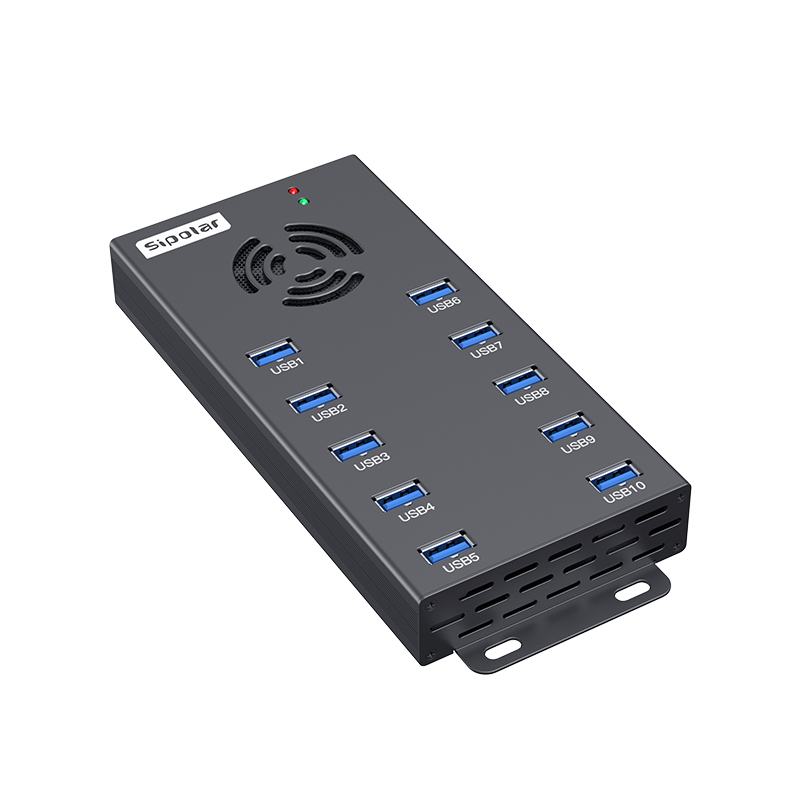
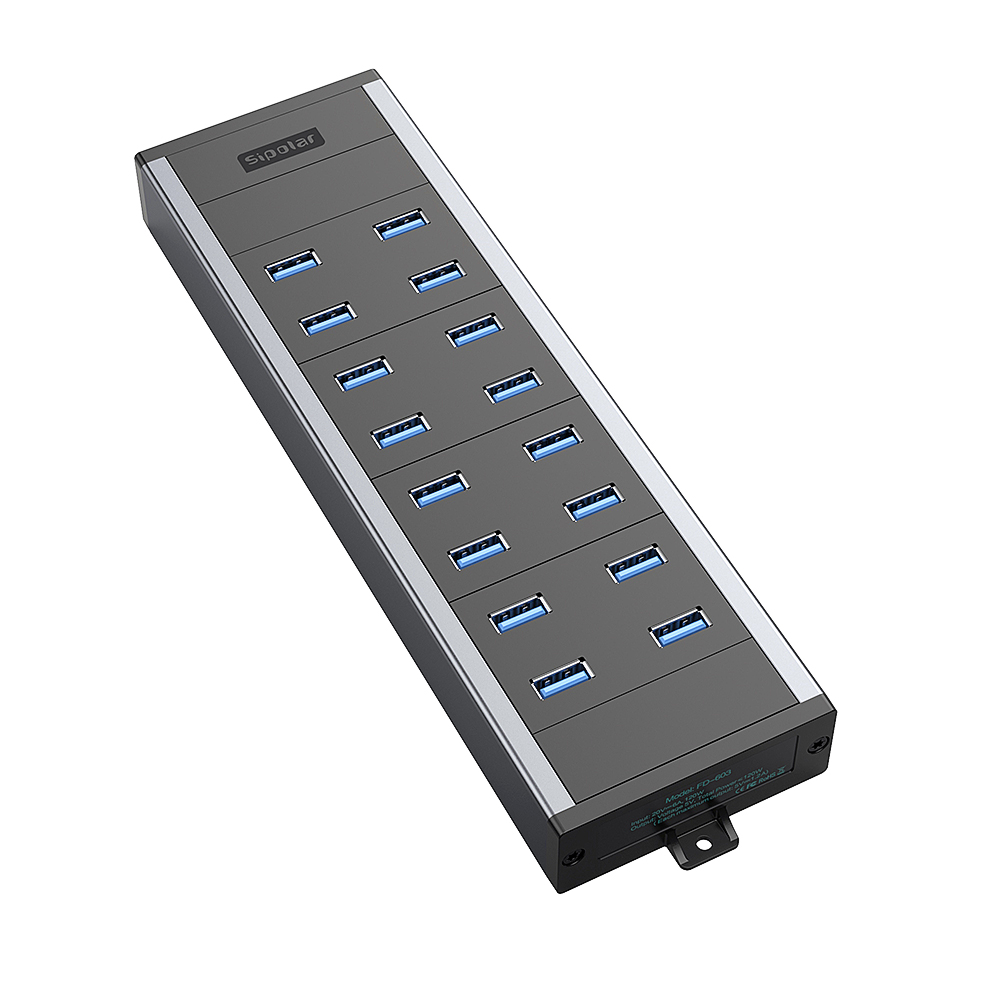
Compare the listed configurations
| Selection point | A-423 | FD-603 |
|---|---|---|
| Device connections | 10 × USB-A 3.0 | 16 × USB-A 3.0 |
| Host connection | 1 × USB-B 3.0 | 1 × USB-B 3.0 |
| Specified USB data rate | Up to 5 Gbps | Up to 5 Gbps |
| Current listed adapter | 20 V / 6 A | 20 V / 6 A |
| Power detail to check | Listed DC input range: 9–20 V | Listed maximum current: 1.2 A per port; assess the complete load |
| Next step | A-423 specifications | FD-603 specifications |
The adapter rating describes the power supply configuration. It does not establish how much USB output is available at every port simultaneously. Ask Sipolar to check your device load, operating conditions and required configuration before final selection.
Choose around your actual device count
Count the devices that must stay connected during a complete task, including any USB peripherals used by the workstation. Decide whether spare connections are required for your planned workflow. A 10-port hub and a 16-port hub can suit different connection counts even when their listed USB data rate is the same.
For a device service or refurbishment bench, distinguish charging, data transfer and software-controlled operations. Diagnostics, firmware updates and data erasure depend on the host software and connected device support. The hub provides the USB connection; validate the complete task with your chosen software.
Validate the workstation before ordering in volume
- Record the host. Note the computer, operating system, USB host connection and software version.
- List the devices and cables. Include device models, connection count, cable types and lengths.
- Check power under the intended task. Describe whether the devices charge while transferring data and whether they have their own power supply.
- Run a repeatable sample test. Use the intended connection count and real workflow. Record recognition, task completion, elapsed time and any disconnects.
- Review installation and delivery details. Confirm the enclosure, mounting, cable routing, adapter, regional power cord and order quantity.
A successful test with one device is a useful first check. Repeat it with the intended workstation load before using the result to plan a larger deployment. Measured task performance should state the test conditions.
Do you need charging only?
If the project needs centralized USB-C PD charging, compare the C-166PD charging station separately. USB-C charging and USB data connection are different selection requirements. For charging projects, send the device charging requirements and expected simultaneous load; for data projects, include the host and software workflow.
Questions to send with a quote request
- What are the device models and maximum simultaneous connection count?
- What task will the host software perform?
- Is charging required during that task?
- What are the installation space, mounting and cable requirements?
- How many hubs are needed for the sample stage and planned deployment?
Discuss your 10-port or 16-port setup
Send Sipolar your device list, connection count, software workflow and quantity so the team can review a suitable configuration.